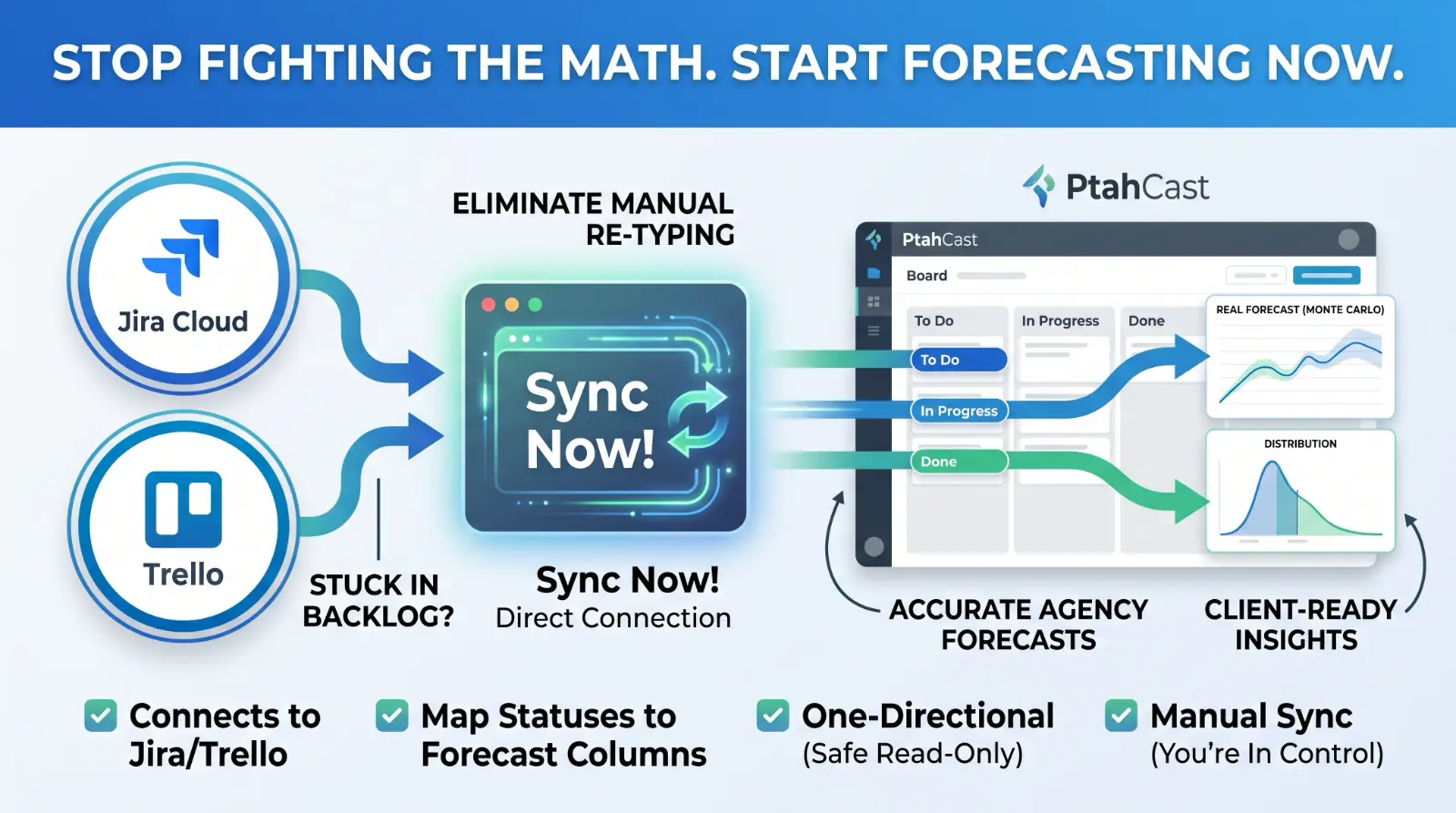
The single biggest thing standing between an agency and a real forecast has never been the Monte Carlo math — it's the backlog sitting in a Jira project or a Trello board that nobody wants to re-type into a second tool just to get a forecast out of it. That's the gap this closes. You can now connect a PtahCast board directly to a Jira Cloud project or a Trello board and pull your tickets straight in.
What it does
From a board's settings, connect it to a Jira Cloud project or a Trello board using an API token — no OAuth app to register, no approval process to wait on. You'll see the external system's own statuses (Jira's workflow states, or a Trello board's lists) and map each one onto a PtahCast column: "In Review" and "QA" can map to two separate columns if that's how your team actually works, or you can leave a status unmapped entirely so tickets sitting in it are simply skipped. Save the mapping, click "Sync now," and your tickets show up on the board, in the right columns, ready to forecast against.
This is genuinely useful even before you think about forecasting: an agency's workflow evolving past a handful of default stages is a normal thing to want, and PtahCast's board columns can now be added, renamed, retyped, reordered, and removed to match whatever external workflow you're mapping onto — not fixed at whatever a board happened to start with. Making column deletion safe turned up a real bug before it shipped — here's what the test that caught it actually found.
What it doesn't do
Three things worth being upfront about, because they're deliberate scope decisions, not gaps we forgot about:
It's one-directional. PtahCast reads from Jira/Trello and creates or updates tickets locally. It never writes back. Moving a ticket, editing it, or commenting on it inside PtahCast has no effect on the Jira issue or Trello card it came from.
Sync is manual. Nothing pulls from Jira or Trello on a schedule. You click "Sync now" on a connected board, and that's when the pull happens — the same reason a fresh connection doesn't auto-import the moment it's set up; you review the status mapping first, then sync when you're ready.
Editing an imported ticket's title or description locally sticks. If someone edits a ticket inside PtahCast after it's been imported, the next sync only moves its column when the external status changes — it won't overwrite a title or description you've since cleaned up for internal clarity.
Why this matters more than it might sound like
A forecast is only as good as the ticket history behind it, and re-entering a backlog by hand is exactly the kind of friction that keeps a team from ever getting a real one. If your team already lives in Jira or Trello, the honest comparison between the two used to come with a real tradeoff: keep your existing tracker, or stand up a second board just to get a client-facing forecast. That tradeoff is gone. Keep Jira or Trello as your system of record if that's what your team prefers, and let PtahCast read from it.
Available today on every plan — this isn't gated by plan tier, the same way the forecasting engine itself isn't. Set it up from your board's settings, and see the knowledge base for the full walkthrough on connecting an account and mapping statuses.