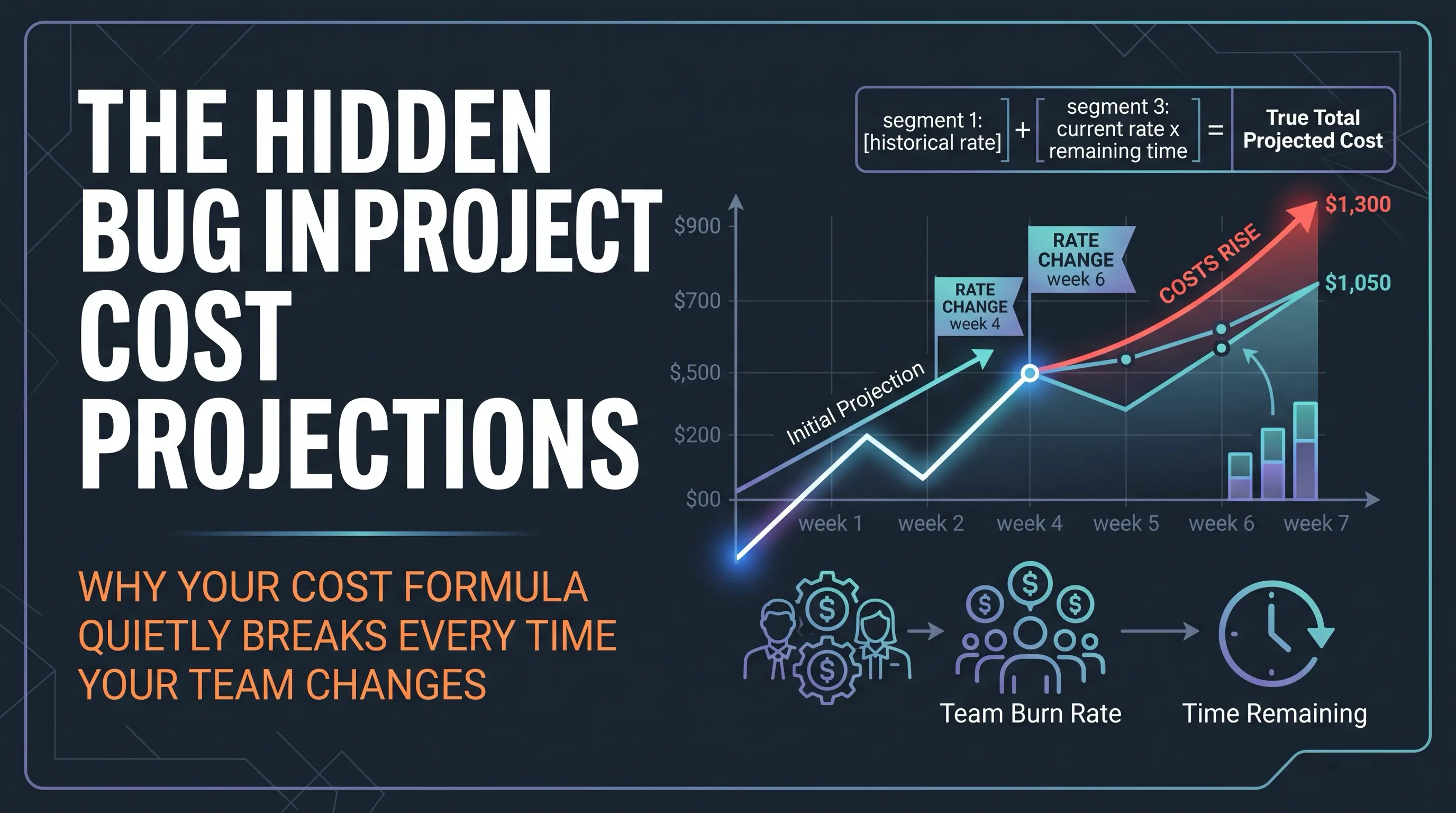
Cost & Margin turns a board's existing Commercial (P85) forecast into money: a projected total cost, a margin or loss against what the client agreed to pay, and a suggested sale price from a target profit margin. As of 12 September 2026 it also tracks your weekly rate as a history rather than a single current value, so the cost figure stays accurate through team changes instead of drifting once a project is underway. This guide covers the whole feature as it exists today.
Turning it on
Cost & Margin lives on a board's own settings page (Board settings — Financial forecasting, Owner/Admin only). Four fields, all optional and blank by default:
Currency — a three-letter code (USD, EUR, GBP, PHP, and others your system admin has enabled). Required before any money field can be set; there's no such thing as an amount with no currency to show it in.
Weekly burn rate — what this engagement costs you per week, in the board's currency.
Overhead / preliminaries — a single one-off lump sum for costs that aren't time-based (setup work, licensing, whatever doesn't scale with duration). Optional even once a rate is set.
Agreed sale value — what the client is paying for this engagement. Optional; without it, PtahCast shows projected cost but has nothing to compare it against, so no margin figure appears.
There's a fifth, separate field on the same page: target margin % — a percentage you can save once and have pre-fill the sale-price calculator described below, rather than typing it in every time you check.
Fill in a currency and a weekly rate and the Cost and margin section appears on that board's forecast page immediately. Leave everything blank and the board behaves exactly as it always has — nothing about this feature is mandatory or defaults to “on.”
What you see on the forecast page
Once a currency and weekly rate are set, the forecast page shows three things, computed fresh every time the page loads:
Projected cost. The total cost of the project through to its Commercial (P85) date — the same percentile PtahCast already treats as the client-facing commitment everywhere else. See “How projected cost is actually calculated” below for what's changed here.
Margin or loss. Agreed sale value minus projected cost. Shown in green as a margin when the sale value covers the cost, red as a loss when it doesn't. Only appears once a sale value is set — there's nothing to compare against otherwise.
Suggested sale price. A small calculator: type a target margin percentage (or use the one saved on the board) and it suggests what the sale value should be. This is markup-on-cost, not margin-on-price: suggested price = projected cost × (1 + margin%). A 20% margin on a $10,000 cost suggests $12,000, not the $12,500 you'd get from cost / (1 - margin%) — margin-on-price would quietly suggest a higher number for the exact same deal, which isn't the kind of “helpful” a pricing calculator should be. Typing a different percentage recalculates the suggestion immediately without changing what's saved on the board; it's a one-off check unless you go back and save a new target margin explicitly.
None of this — not the cost, not the margin, not the calculator — ever appears on the client-facing shared report or the client portal. It's strictly an internal, agency-side view.
How projected cost is actually calculated
This is the part that changed on 12 September 2026, and it's worth understanding even if you never look at the mechanics directly, because it explains why the number you see today might differ from what you remember seeing a month ago on the same board with the same rate.
The short version: projected cost is now cost already spent at whatever rate applied at the time, added up and locked in + the current rate applied from your most recent rate change through to the Commercial (P85) date + overhead/preliminaries.
Why it had to change: the original version calculated cost as today's rate × however many weeks the forecast says are left. That's exactly right at kick-off, when “weeks left” means the whole project. It quietly stops being right the moment tickets start getting marked done, because “weeks left” is now smaller than the whole project — and it becomes actively wrong the moment you change the rate, because the new rate used to get applied to the entire remaining calculation with no record of what the old rate had already cost you.
A worked example. A board is forecast at 8 weeks total, weekly rate $2,000. Six weeks in, you add a second developer and raise the rate to $3,500/week; the extra capacity also means the forecast now says 3 weeks remain instead of 2.
Old calculation: $3,500 × 3 weeks = $10,500 projected cost.
What actually happened: 6 weeks already run at $2,000/week ($12,000, already spent, can't be changed) + 3 more weeks at the new $3,500/week rate ($10,500) = $22,500 total.
The old figure was short by $12,000 — not a rounding error, and always in the direction of making a project look more profitable than it actually is, right at the moment (a team or rate change) when the real number matters most.
How the fix works. Every time you change a board's weekly rate in board settings, PtahCast records that change and, at that exact moment, calculates and permanently locks in the cost of the segment that just ended — real elapsed calendar days since the previous rate change (or since the rate was first set, if this is the first change), multiplied by whatever the rate was during that segment. That locked-in number is never recalculated, however many more times the rate changes afterward. Only the forward-looking portion of the total — from your most recent rate change through to the current forecast's Commercial date — ever uses today's rate.
What this doesn't affect. Creating or deleting tickets, and scope changes generally, only ever affect how much time is left on the forecast — they feed into the forward-looking portion of the calculation the same way they always did, and never touch anything already locked in. Overhead/preliminaries is a one-off with no time dimension, so it's simply added on top of the total, unaffected by rate history — exactly as before.
If a board has never had a rate change. The calculation falls back to exactly the original formula (today's rate × weeks remaining). This is the normal, unremarkable case for any board whose rate has been set once and never touched since — nothing changes for you until the first time you actually change a rate.
Existing boards, from before this shipped. If a board already had a weekly rate set when this feature was released, it was backfilled automatically with a starting point dated at the release, so tracking begins cleanly from there. Cost from before the tool was told a rate existed can't be honestly reconstructed, so it isn't guessed at — the history simply starts now, the same as it would for a board whose rate is being set for the very first time today.
The “already spent” note
Once a board has any rate history at all — meaning the rate has changed at least once, or the board was backfilled with a starting point — the forecast page (and What-If, see below) shows one extra line under the cost figure:
This only appears once there's something real to report (a nonzero locked-in amount). A board whose rate has never changed shows nothing extra — the page looks exactly as it always has.
Inside What-If
The What-If page's own Cost and margin section works the same way, with one addition specific to modelling hypotheticals: you can override the weekly burn rate for a single scenario — to model losing or adding a team member, say — without touching what's actually saved on the board. That override only ever changes the forward-looking portion of the scenario's cost. History that's already locked in is real, and stays real, regardless of what you're hypothetically testing. A comparison line underneath shows what the real forecast currently projects at its real, unhypothetical rate, so you can see the effect of a rate change on the bottom line directly rather than doing the sum by hand.
Nothing on the What-If page is ever saved. Refresh it and the scenario is gone.
Across a whole portfolio
If you're an Owner or Admin, the dashboard's Agency Portfolio Overview shows a Financial risk summary across every active engagement with cost tracking set up — contracted value against projected cost, blended margin, and a count of boards below target margin. It reads from the exact same corrected calculation as the forecast page, so it required no changes of its own to become accurate — if you're watching that rollup across several clients, it's simply more correct than it was before, automatically.
What's not tracked
A few things are deliberately out of scope, for now:
Sale value, currency, and target margin % have no history. Only the weekly burn rate is tracked over time — a rate change is fundamentally different from these in that it's the one field with a genuine “how much of this have we already paid” question attached to it. The others are point-in-time facts about the current deal, not something that accrues.
There's no screen to browse the rate-change history itself. You can see the running total (the “already spent” note) but not yet a log of individual changes — worth revisiting once the corrected calculation has been in use for a while.
A wrongly-entered rate can't be edited after the fact. If you fat-finger a rate, the fix is to change it again to the correct value; there's no way to go back and correct a past change, the same way there's no way to edit a past entry in the accountability log.
Quick reference
| Question | Answer |
|---|---|
| Where do I set the rate? | Board settings — Financial forecasting (Owner/Admin only) |
| When does tracking start? | The first time a rate is ever set on a board |
| What if I clear a rate to blank? | The segment up to that point is banked; if you set a rate again later, tracking resumes and nothing already banked is lost |
| Does changing scope (tickets) affect banked cost? | No — only the forward-looking portion of the total |
| Does a What-If rate override touch the real board? | No — and it never affects banked history either |
| Does any of this reach the client? | No — forecast page, What-If, and Portfolio Overview only |