Project management with the forecast built in
Know when it will really be done.
Plan on a board, in sprints or on a waterfall roadmap. PtahCast reads how fast your team actually finishes work and tells you when the rest will be done, with a confidence level. No estimates, no story points.
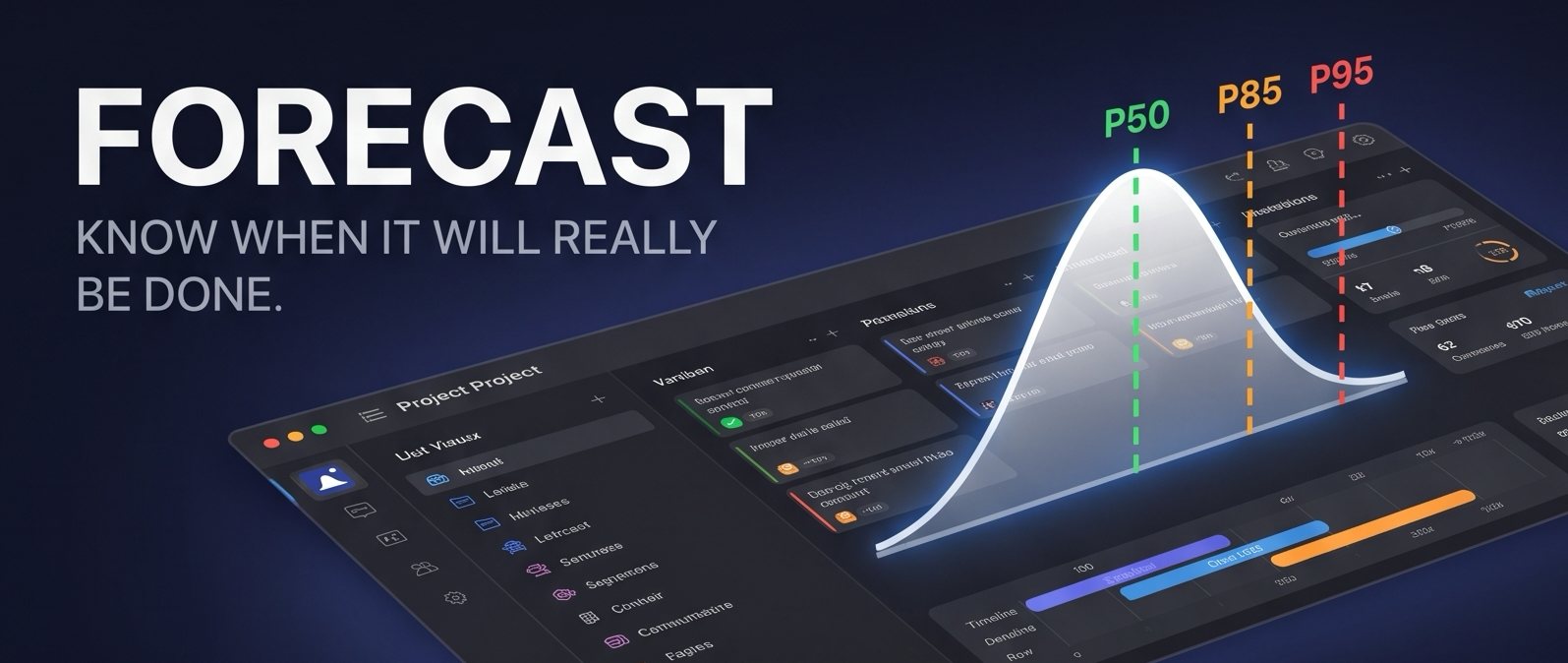
Probabilistic forecasting
An answer you can plan around: a range, not a single date.
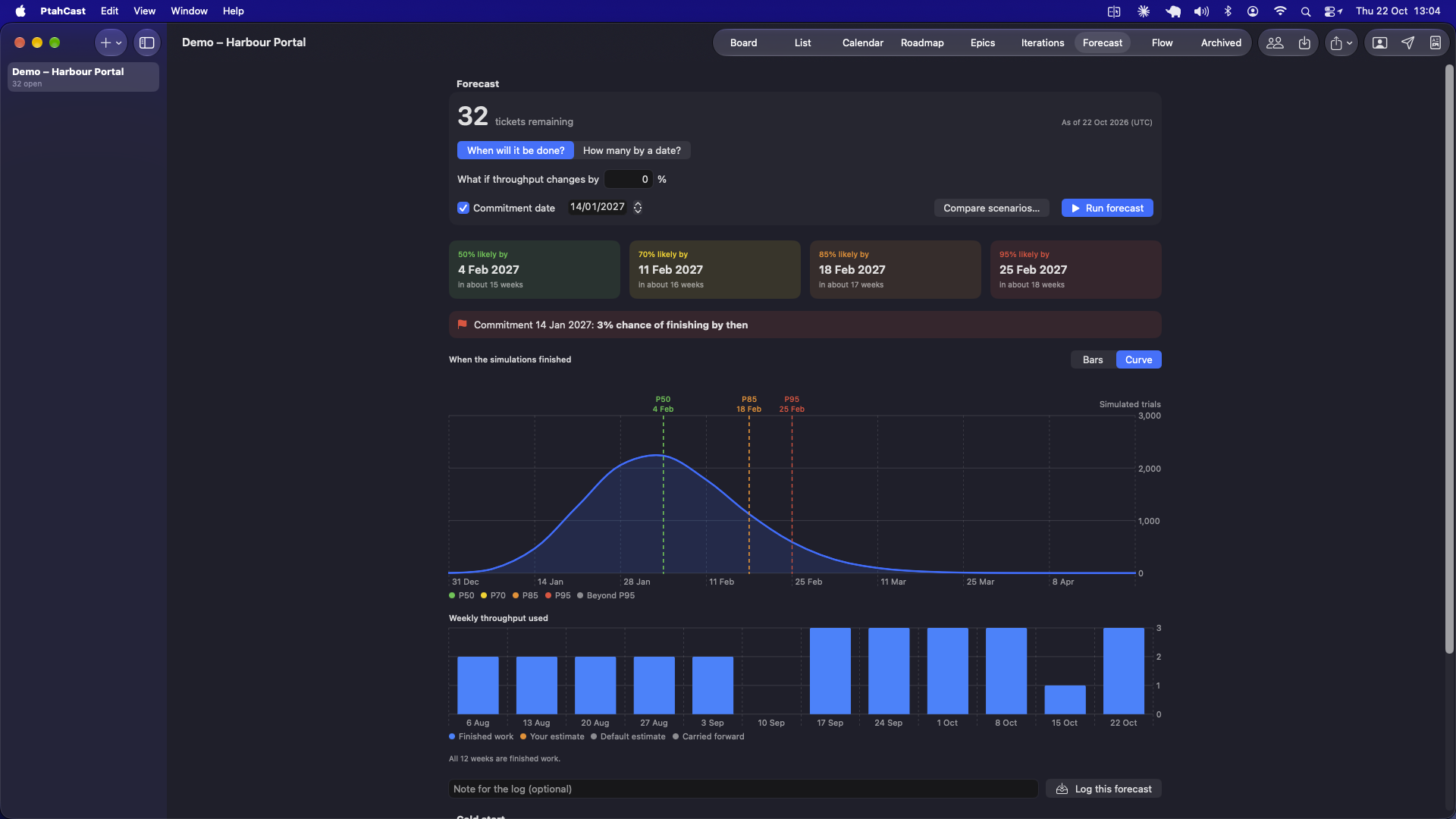
Every week PtahCast counts the tickets you finished. It replays that pattern thousands of times against the work still open, then reports how likely each finish date is.
Example forecast for a project with 60 open tickets.
When will it be done?
Dates at 50, 70, 85 and 95 percent confidence for the work that remains.
How much by a date?
Pick a date and see how many tickets you can count on finishing by then.
What if?
Change throughput or scope and compare scenarios side by side. A new project can start forecasting before it has history.
Was I right?
Log each forecast with your commitment date. The accuracy card shows how often reality landed inside it.
One tool, any method
Run it as Kanban, as sprints, or as a waterfall plan.
Same tickets, same epics, same forecast. Each project manager picks the view that matches how they work, and can change their mind midway.
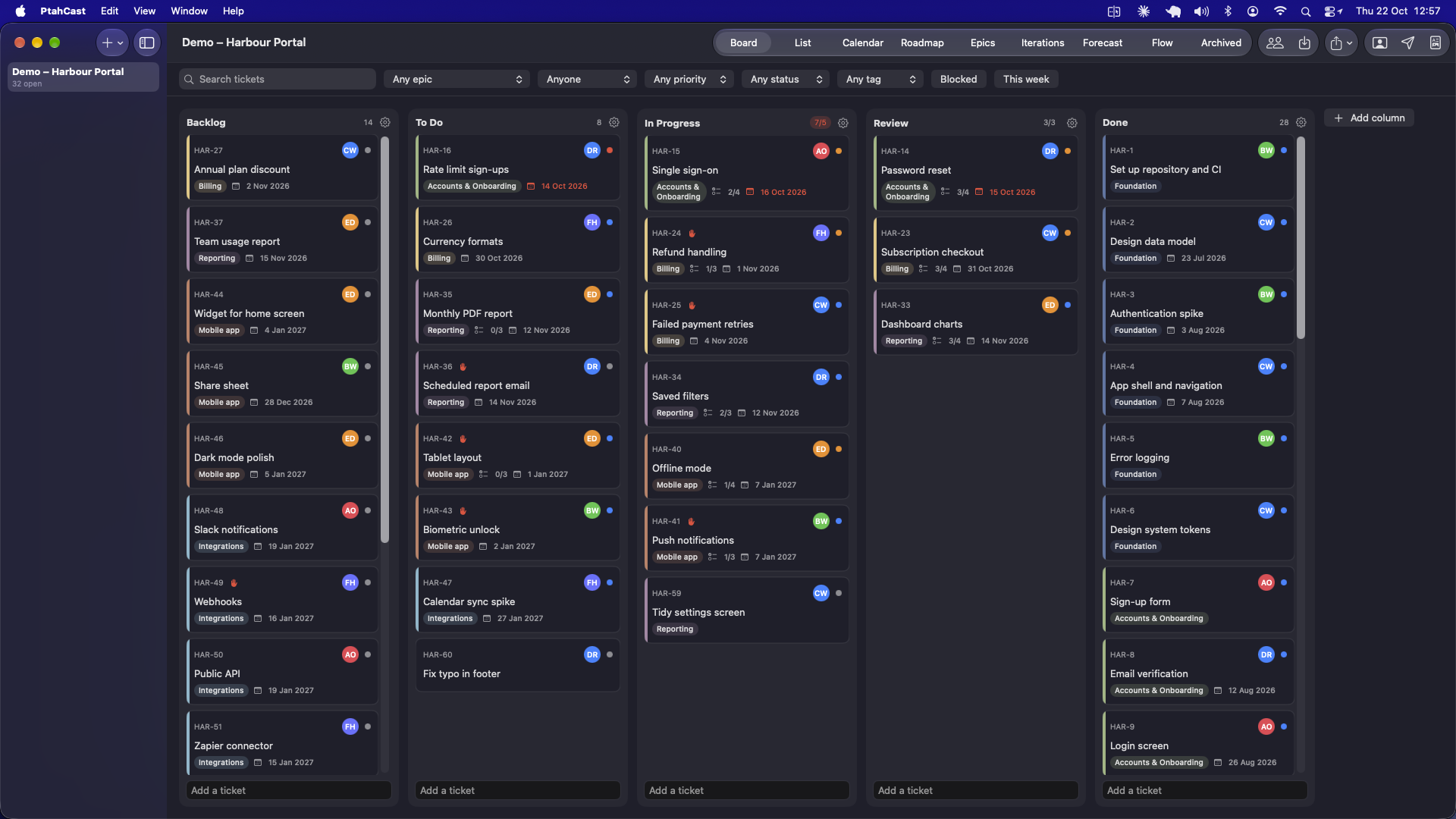
Kanban: flow, measured
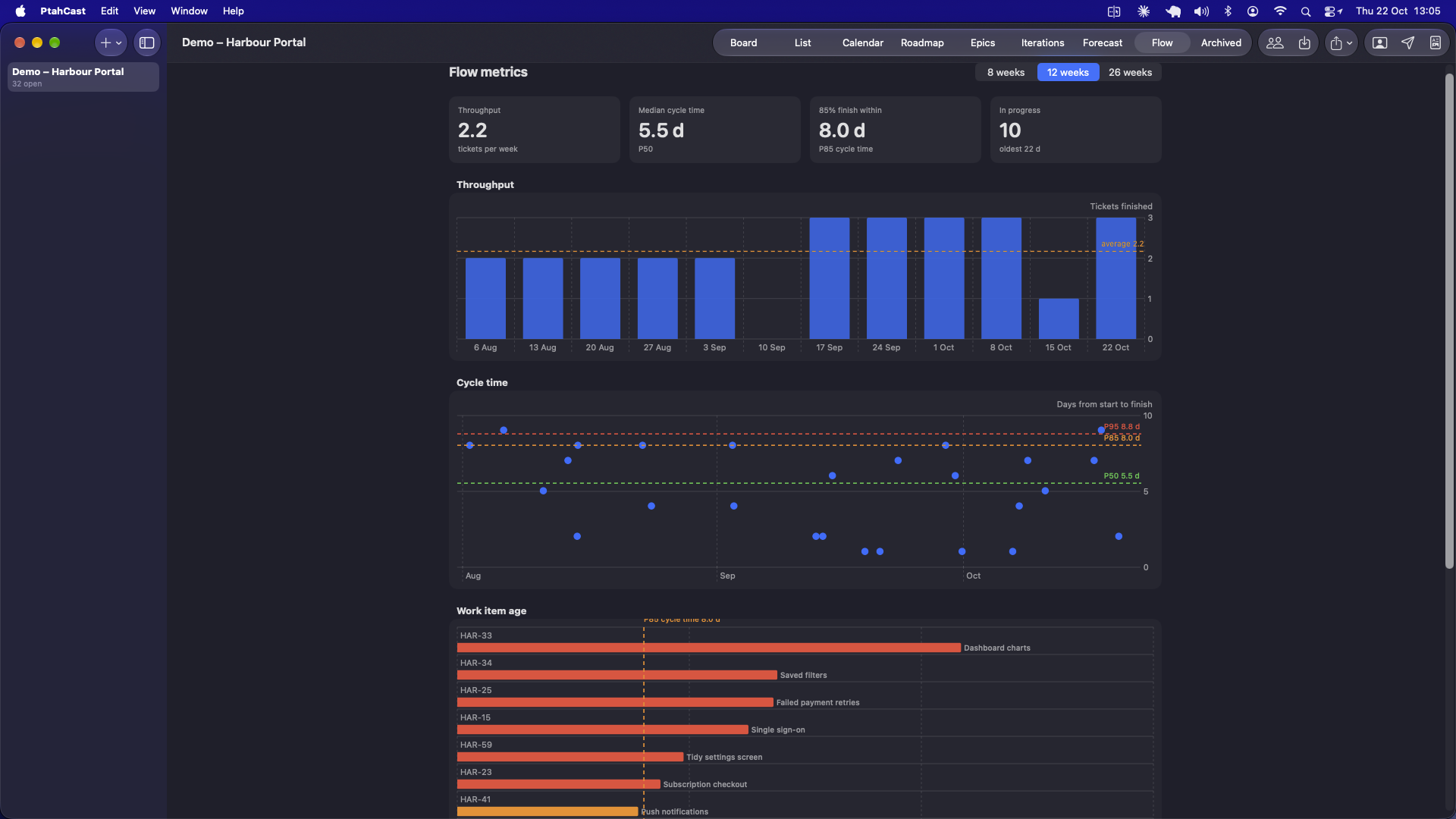
Drag cards across your columns. PtahCast records when work starts and finishes, so the board feeds the forecast without any extra effort.
- Columns of your own, with work-in-progress limits that warn you before the team overloads.
- Started and finished dates are recorded when you move a card.
- Flow metrics: throughput, cycle time, work item age and cumulative flow.
- A live answer to "when will the backlog be done?" at the top of the project.
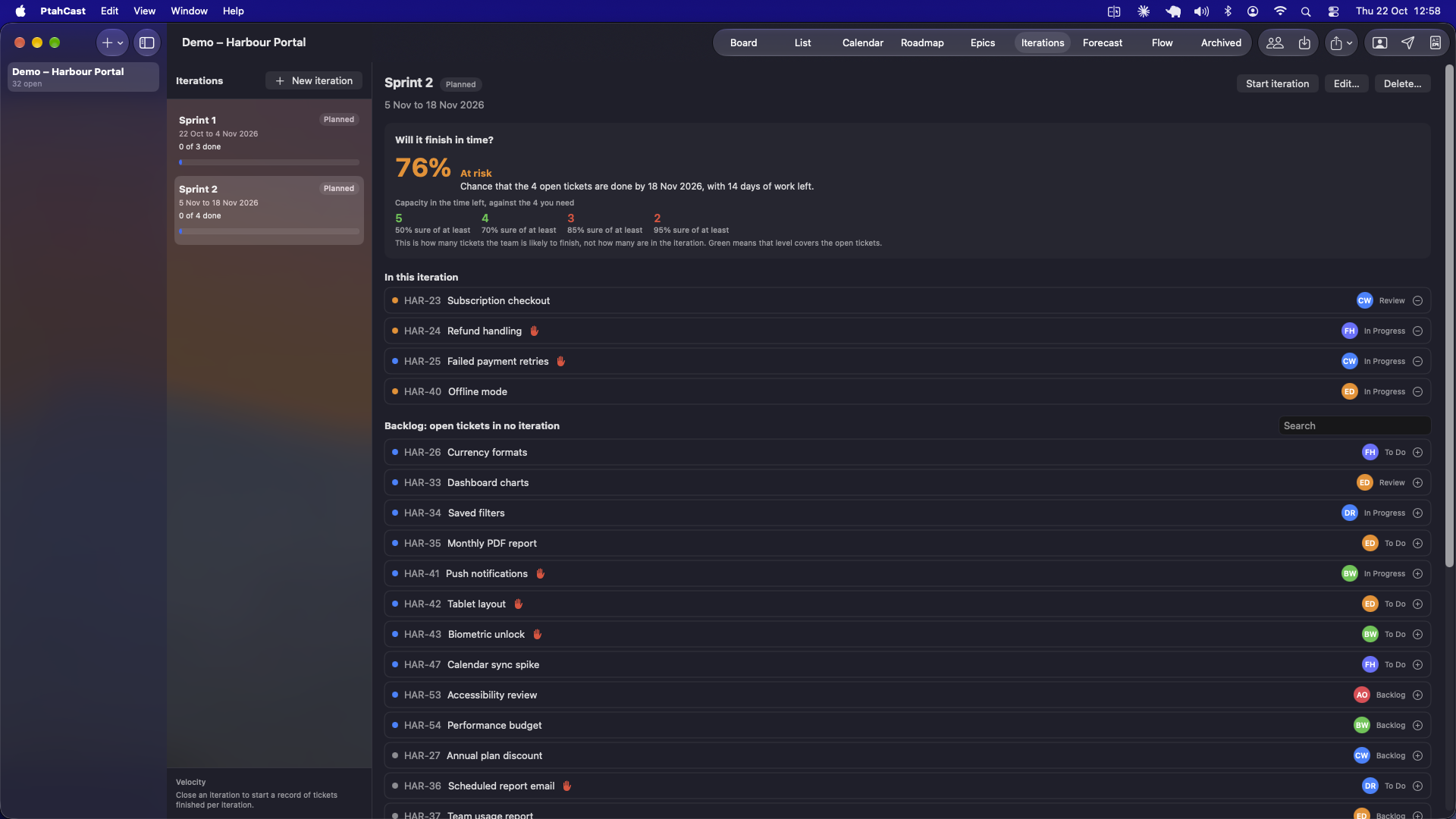
Sprints, without the story points
Time-box the work in iterations with a name, a goal and a first and last day. PtahCast tells you the chance the open tickets finish in time.
- Plan, start and close iterations. Open tickets roll to the backlog or the next one.
- The committed count is recorded when the iteration starts.
- "Will it finish?" is calculated from your own throughput history, not from estimates.
- Velocity is simply tickets finished per closed iteration.
There are no points or estimates anywhere in the app. That is deliberate.
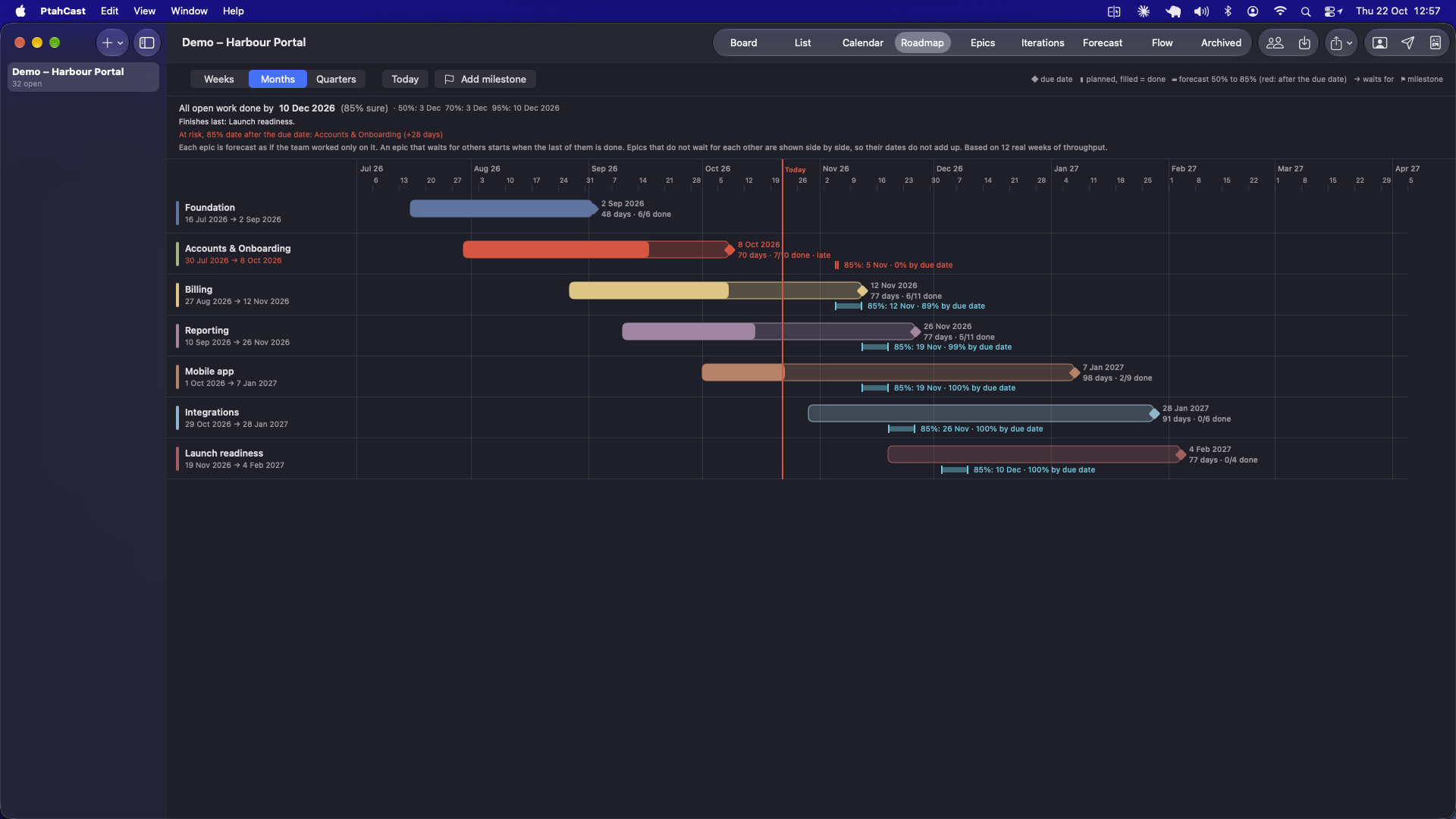
Waterfall: phases, milestones and a forecast for each
Epics become phases with start and due dates. Chain them with dependencies, add milestones, and see how likely each date is to hold.
- Finish-to-start dependencies between epics, with loops refused and date overlaps flagged.
- Milestones with a date, notes, and an optional epic that must be done by then.
- Per epic: 50% and 85% finish dates, the chance of meeting the due date, and the 85% slip in days.
- Project end at 50, 70, 85 and 95%, the longest chain, and the chance of hitting each milestone.
Epics that do not wait for each other are shown side by side. They are not made to share the team's capacity.
A look inside
Six screens that do the work.
Everything a project needs
A complete project system, not just a forecaster.
Five ways to see the work
Board, sortable list, epics with progress, calendar and roadmap, all on the same data.
Find anything fast
Search titles, descriptions, tags, comments and checklists. Filter by epic, iteration, assignee, priority, tag or status.
Tickets with substance
Checklists, blocked-by and related links, a blocked flag, due dates, tags, comments and attached file links.
People and weekly packs
Assign tickets, flag this week's work, and send each developer a PDF of their tickets with the attached files from your own mail app.
Import and export
Bring tickets in from Excel or CSV with a ready template. Export the list to Excel or CSV. Back up and restore a whole project as one file.
Private by design
One person, one Mac. No account, no cloud, no seats. Your projects stay on your computer.
For your client 4 PDFs
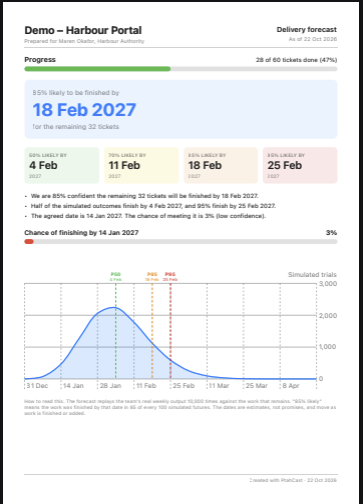
Delivery forecast, progress by epic, completed this period, and forecast history. They show dates and progress, never your internal detail.
For your team Internal
Risks and blockers, forecast accuracy, workload by person and flow health. Internal reports can never go to the client address by accident.
Platforms
On the Mac today. Windows and Linux are on the way.
macOS
Available nowNative Mac app. Requires macOS 26 or later.
Windows
In developmentA native Windows version is being built.
Linux
In developmentA Linux version is being built.
Try PtahCast on your Mac.
Start with a trial and unlock the full app with a one-time purchase. No subscription.
Download for Mac